Hanley Fonts Instructions
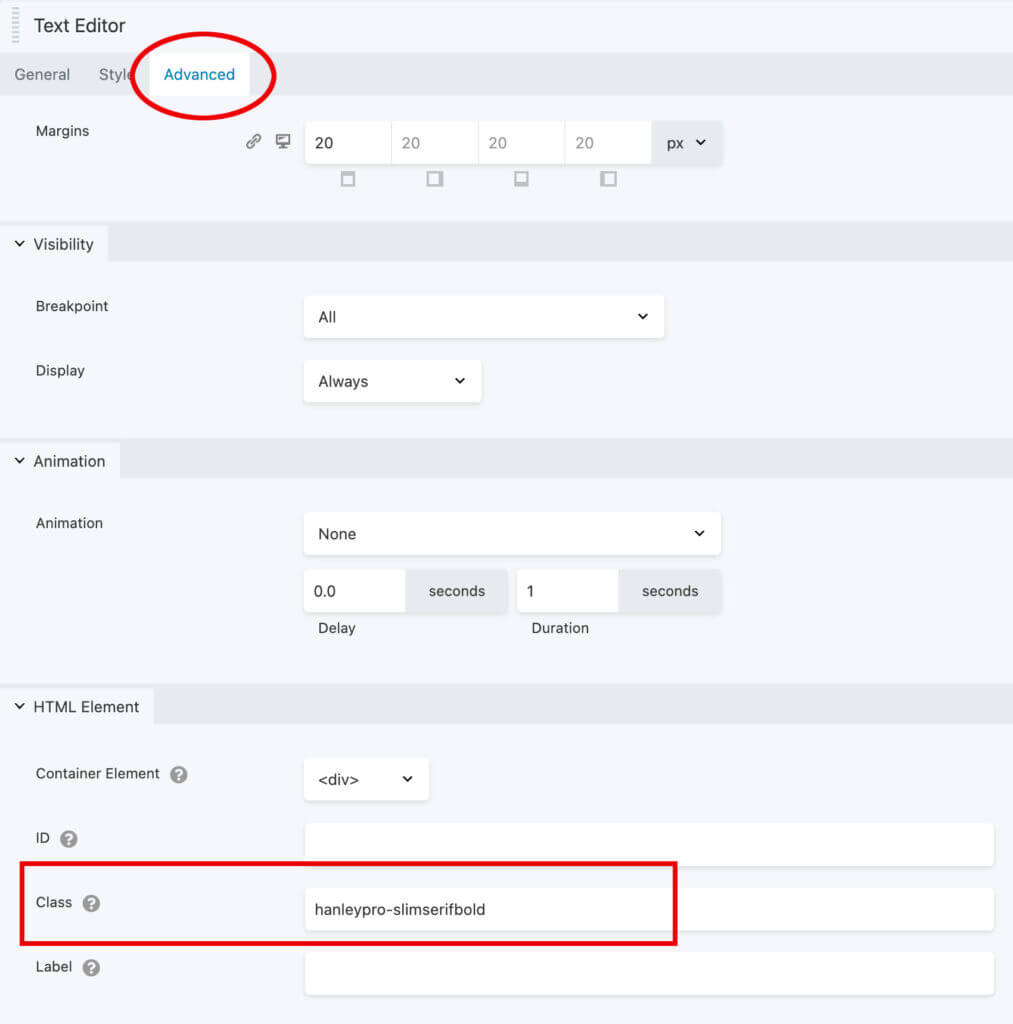
To use any of the fonts below, add the class noted in the sample to the Class section in the advanced tab of the widget you want to apply the font to.
Note: class names should be in all lowercase letters. You can open the samples below to see the classes in the advanced tab.
This is hanleypro-slimserifbold
Add this class under the advanced tab: hanleypro-slimserifbold
This is HanleyPro-SlimSerif
Add this class under the advanced tab: hanleypro-slimserif
This is HanleyPro-SlimBold
Add this class under the advanced tab: hanleypro-slimbold
This is HanleyPro-Slim
Add this class under the advanced tab: hanleypro-slim
This is HanleyPro-Slim
Add this class under the advanced tab: hanleypro-slim
This is HanleyPro-ScriptAlt
Add this class under the advanced tab: hanleypro-scriptalt
This is HanleyPro-Script
Add this class under the advanced tab: hanleypro-script
This is HanleyPro-Sans Wide Outline Extra
Add this class under the advanced tab: hanleypro-sanswideoutlineextra
This is HanleyPro-Sans Wide Outline
Add this class under the advanced tab: hanleypro-sanswideoutline
This is HanleyPro-Sans Wide Extra
Add this class under the advanced tab: hanleypro-sanswideextra
This is HanleyPro-Sans Wide
Add this class under the advanced tab: hanleypro-sanswide
This is HanleyPro-Sans Two Line
Add this class under the advanced tab: hanleypro-sanstwoline
This is HanleyPro-Sans Two Inline
Add this class under the advanced tab: hanleypro-sanstwoinline
This is HanleyPro-Sans Two
Add this class under the advanced tab: hanleypro-sanstwo
This is HanleyPro-Sans Line
Add this class under the advanced tab: hanleypro-sansline
This is HanleyPro-Sans Inline
Add this class under the advanced tab: hanleypro-sansinline
This is HanleyPro-Sans
Add this class under the advanced tab: hanleypro-sans
This is HanleyPro-Monoline
Add this class under the advanced tab: hanleypro-monoline
This is HanleyPro-Italic
Add this class under the advanced tab: hanleypro-italic
This is HanleyPro-Extras
Add this class under the advanced tab: hanleypro-extras2
Above is HanleyPro-Extras2
Add this class under the advanced tab: hanleypro-extras2
This is HanleyPro-Extras1
Add this class under the advanced tab: hanleypro-extras1
Above is HanleyPro-Extras
Add this class under the advanced tab: hanleypro-extras1
This is HanleyPro-Block Inline Only
Add this class under the advanced tab: hanleypro-blockinlineonly
This is HanleyPro-Block Inline Only
Add this class under the advanced tab: hanleypro-blockinlineonly
This is HanleyPro-Block
Add this class under the advanced tab: hanleypro-block
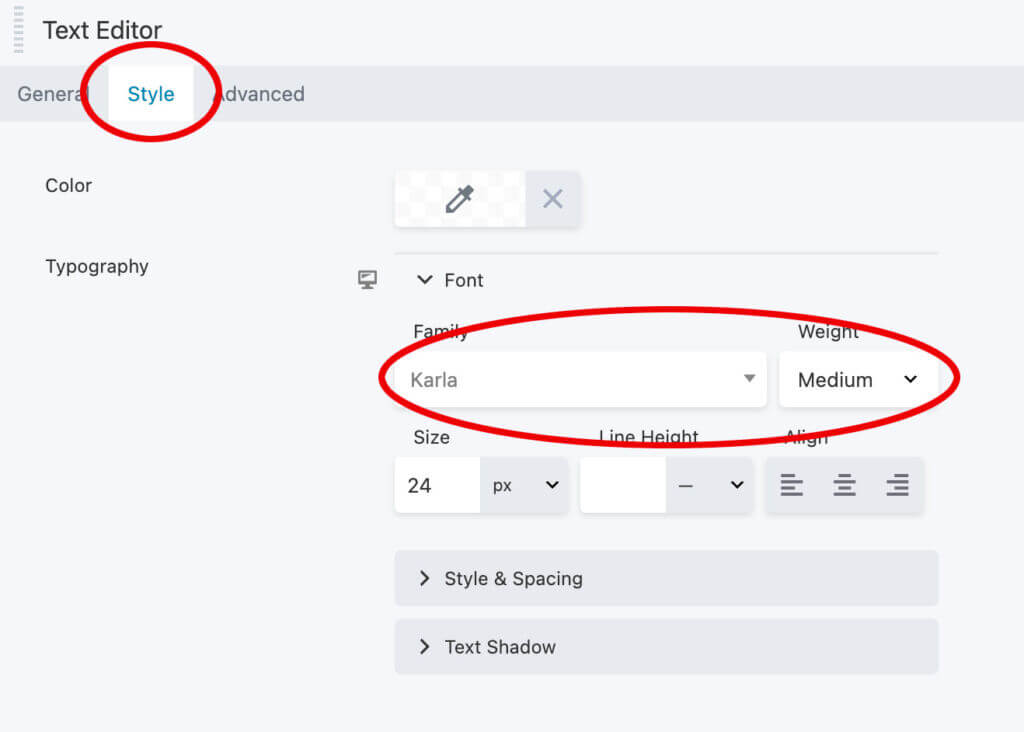
This is Karla
To use this font, don't use any additional classes. Just select it under the "Style" tab in the widget.